The challenge
Strategy
Impact
Setting up an SLI meant knowing NRQL, metrics, and schema — a steep barrier for non-power users.
The complexity of setting up SLIs
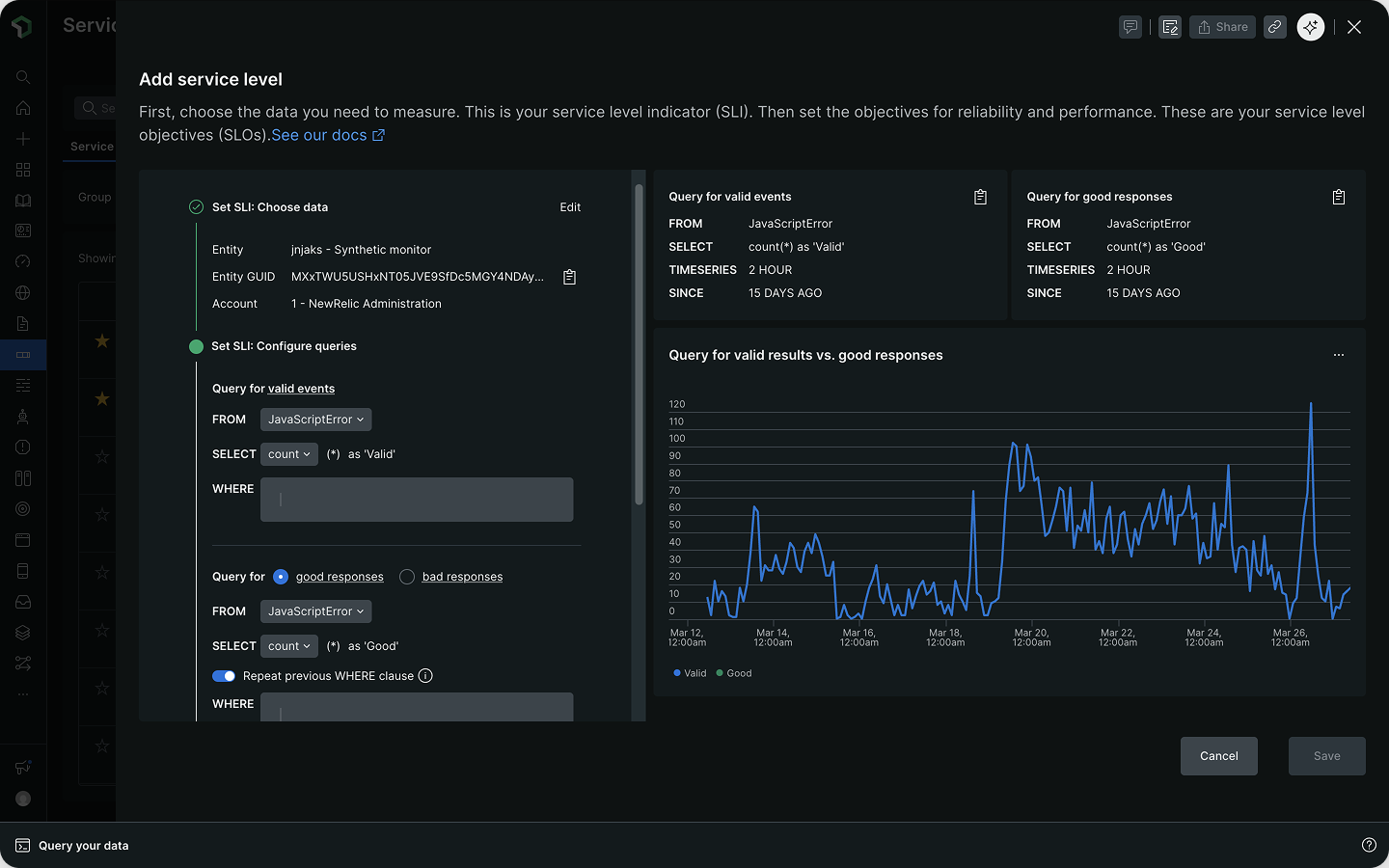
Setting up a custom SLI in New Relic means writing NRQL queries into a couple of blank input fields — which requires knowing the metric type, the right function, attribute names, and more:
- The service levels practice and the logic of an SLI
- What to measure (e.g. latency, response time, throughput)
- Your own telemetry schema and attribute names
- A threshold value that is meaningful for your service
It's like building a filter for a spreadsheet you've never seen: you know what you want to find, but not the column names, the data format, or which operators to apply.
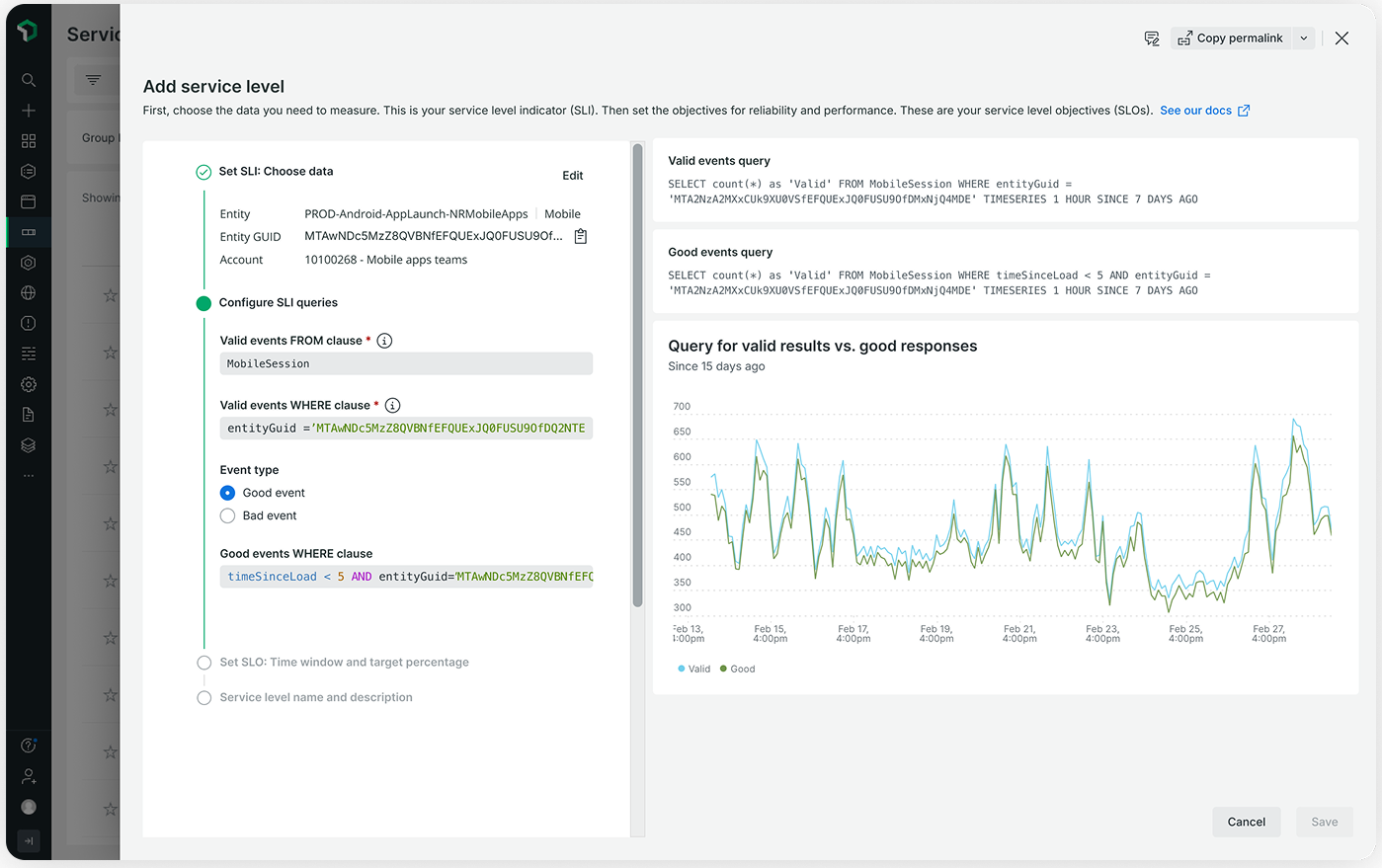
Low task completionEvent tracking showed only an 11.1% completion rate. Worse, some users misconfigured the good and valid events — producing a 100% SLI that made an unhealthy service look healthy.
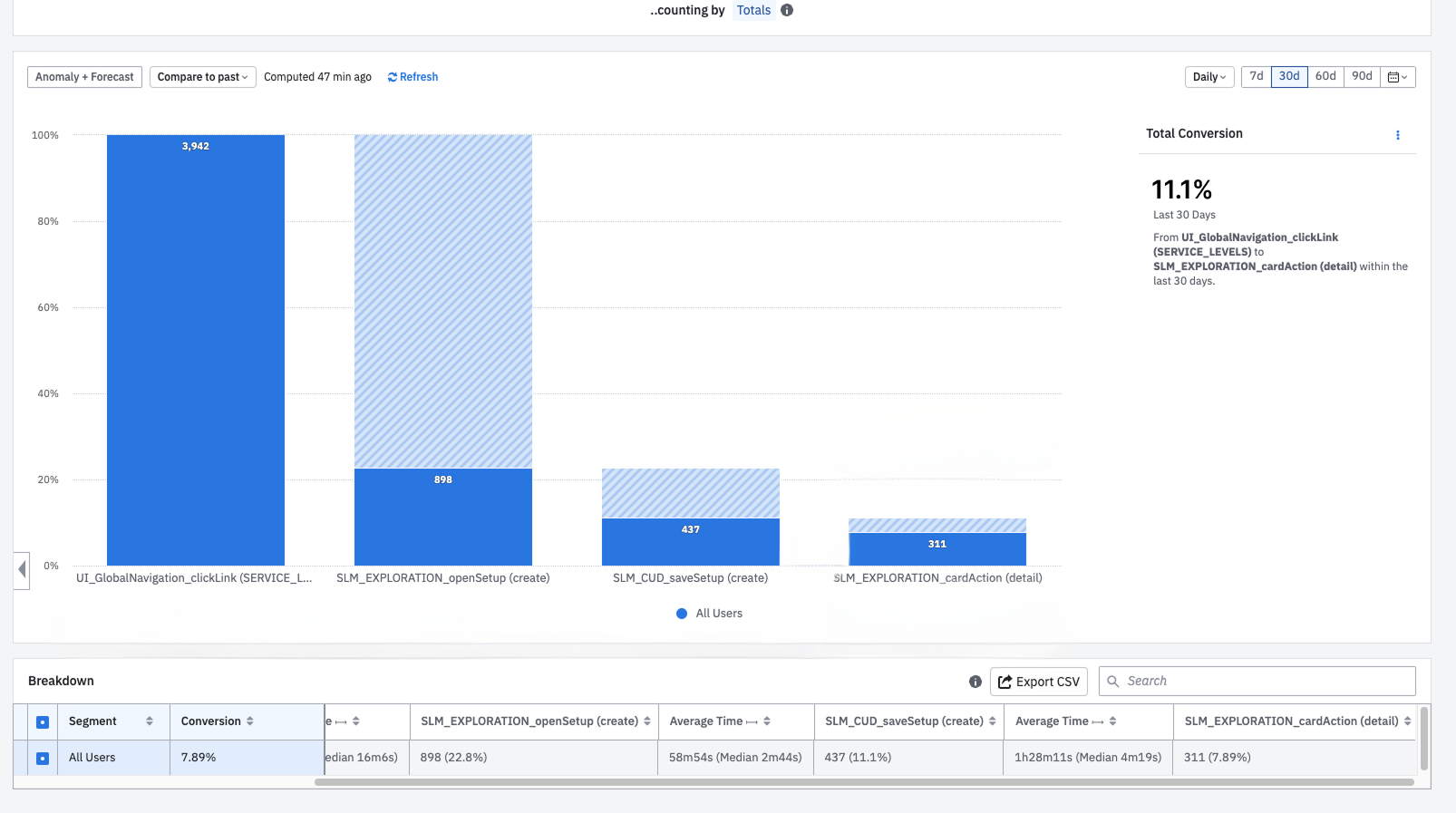
So I dug into who sets up SLIs, and exactly where they get stuck.
From query experts to non-technical users
Service level management was introduced by Google's SRE teams and is now widely adopted across the industry. The builder needed to serve three key personas:
- SRE — automates infrastructure and resolves issues; sets performance baselines across teams and services.
- Developer — monitors service uptime, performance, and end-user experience.
- Business leader — minimises costs from downtime and drives operational efficiency.
Understanding the pain points
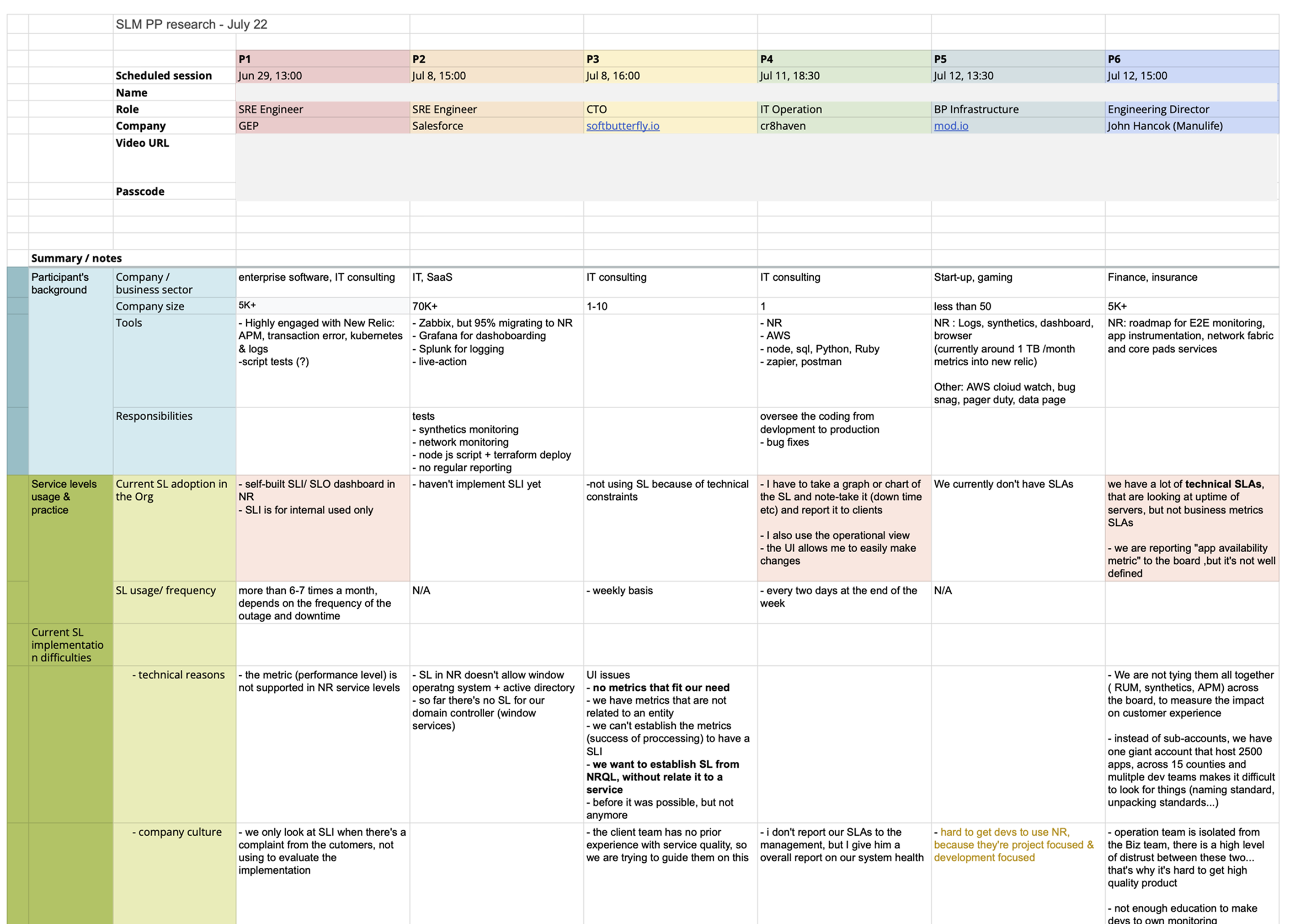
I partnered with a UX researcher and PM to gather customer feedback through qualitative interviews, aiming to answer three questions:
- What is blocking adoption?
- What problems do users hit during SLI setup?
- Who is actually executing the setup flow?
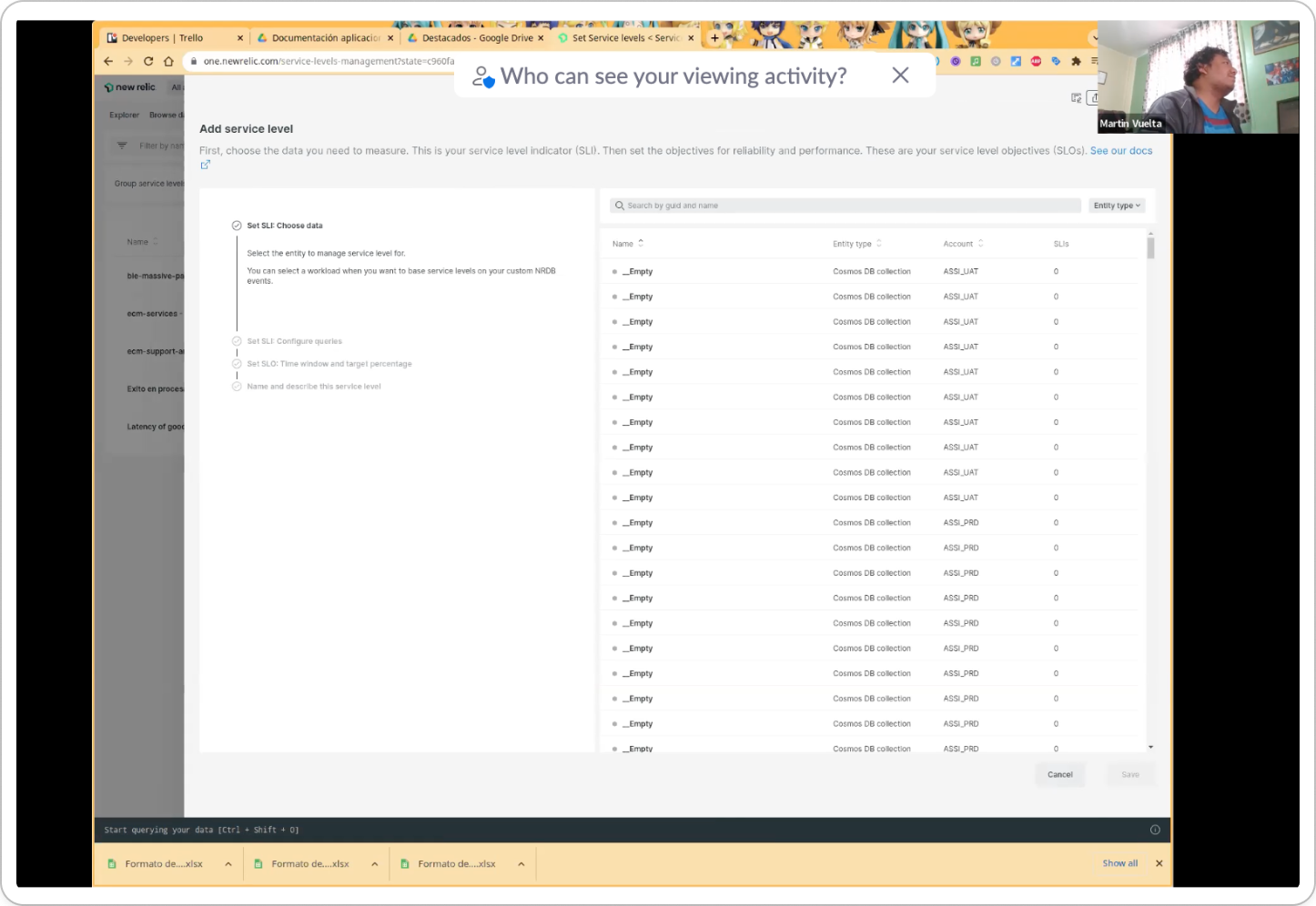
Research findings
The interviews surfaced three key insights:
- SLI/SLO practice: some teams aren't aware of the benefit of service level management, and don't know what makes a good metric — especially with no dedicated SRE team.
- Ease of use: many aren't certain about the attributes in their telemetry schema, so they cross-check constantly; NRQL syntax is another hurdle.
- Human error: SLIs reported as inaccurate usually traced back to an invalid good or bad event setup.
Known constraints
- There's always a translation gap between a customer's data and New Relic's data model — sometimes no available metric is useful for an SLI.
- Every SLI must be linked to an entity. For customers who prefer not to tie one to a specific component, the work-around is a Workload as a logical container.
The fix: turn the query into guided decisions, with only valid options at each step.
A query is essentially a series of decisions. The design strategy is to surface those decisions one at a time, in the right order, with only valid options at each step.
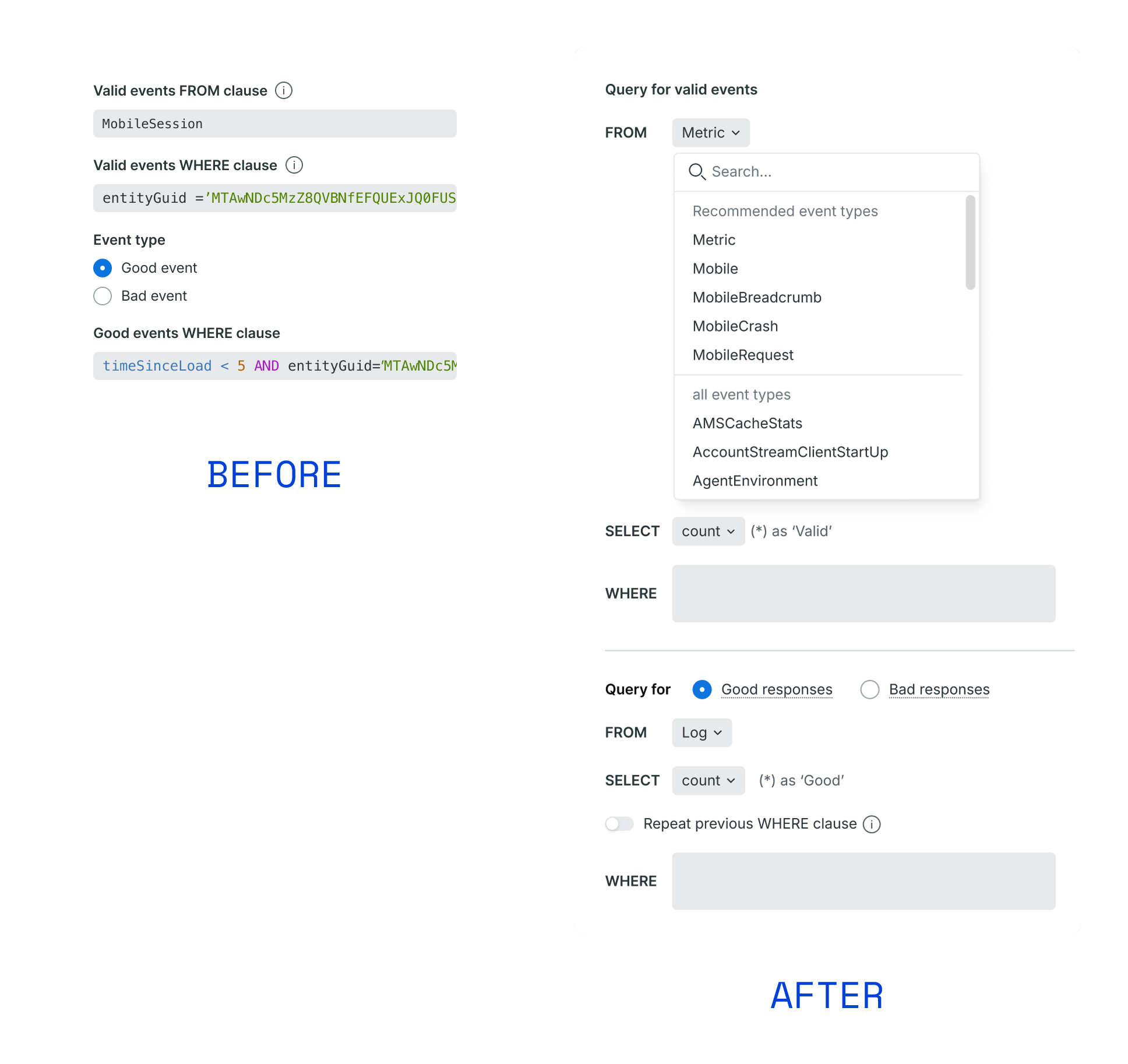
Recognition over recall
Instead of asking users to remember or copy/paste attributes or data points within each clause, we offer dropdowns to lower the technical barrier. This allows users to simply select from all the available data points. It takes away the cognitive load and prevents human errors (e.g. typos).
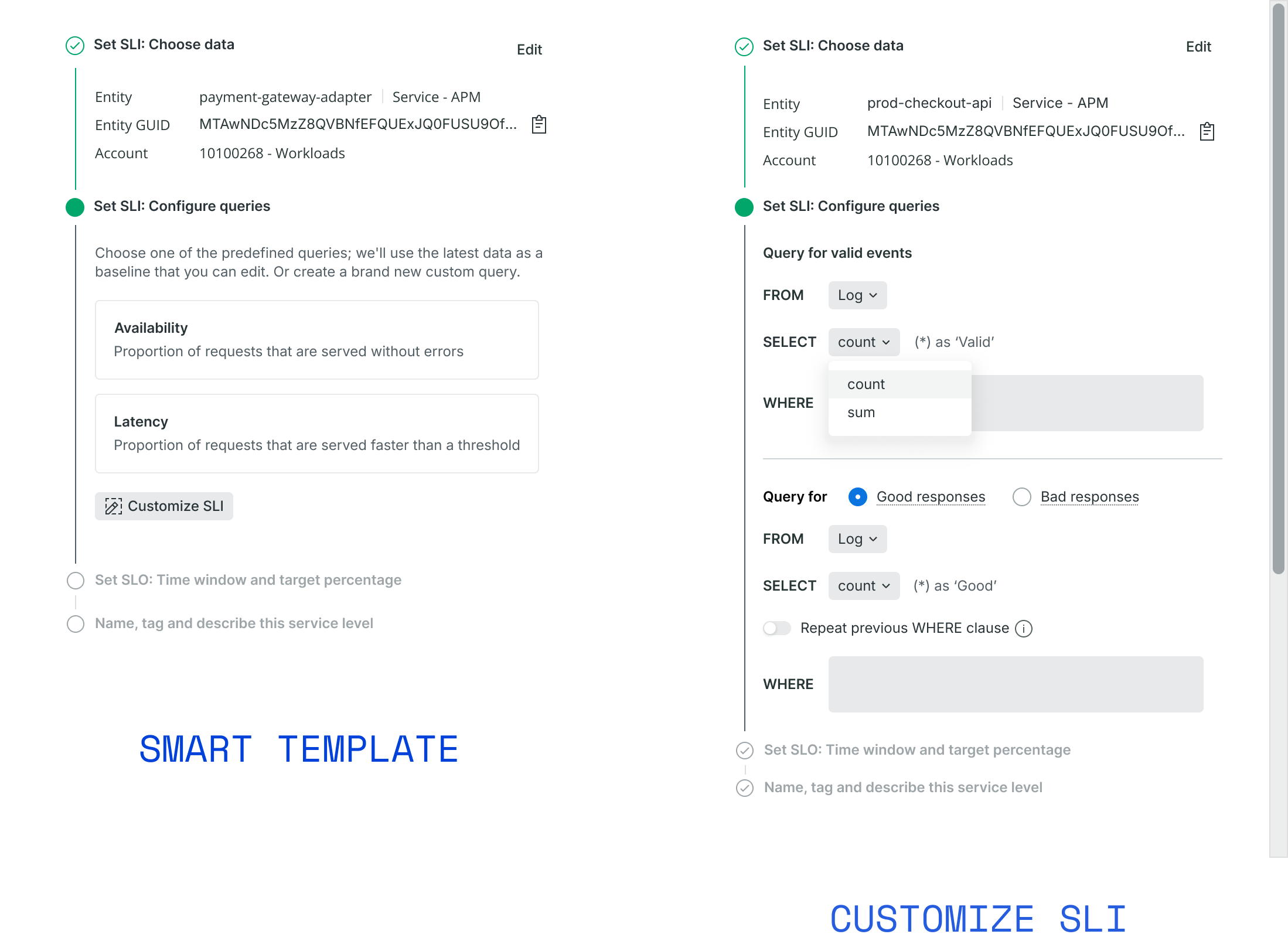
Automation via smart templates
Some SLIs are typically used to measure the performance of certain entity types (APM, Browser, database etc). By suggesting SLIs and threshold based on historic data, we eliminate the setup hurdle, make it accessible for non-technical users. For power users, we offer the option for custom SLI setup.
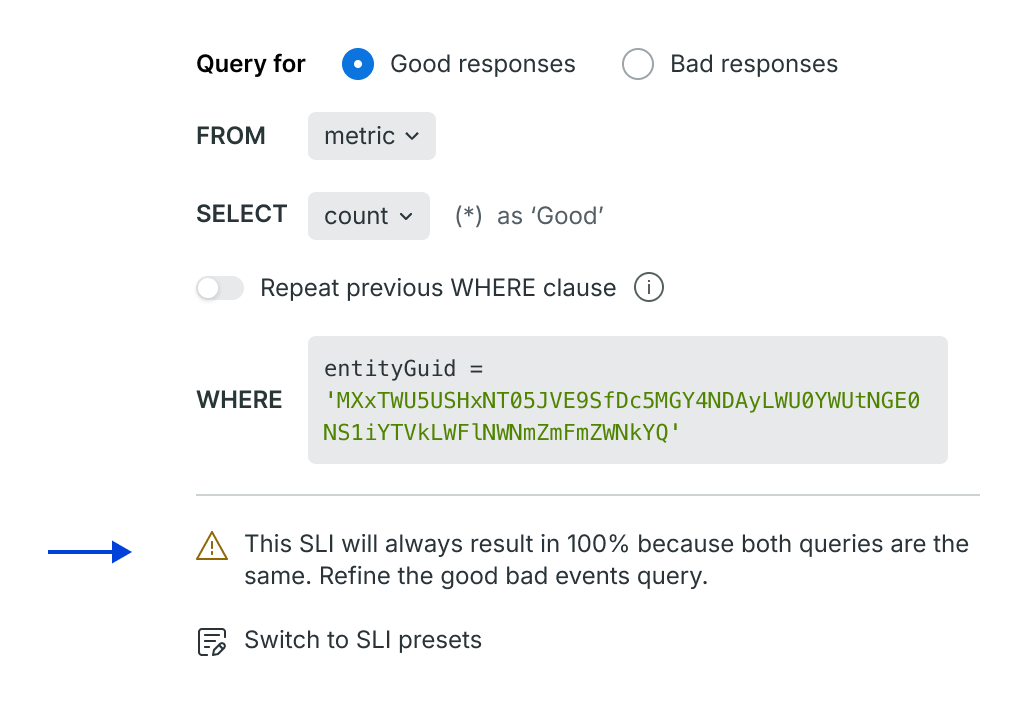
Prevent errors before they happen
We show a warning message and disabled saving when we detect same query for both good and valid events. This sets a guardrail for users and makes sure what they configured is actually meaningful, not just technically valid.
Simplify comparison by formatting
By changing the query into a line-by-line format, we improve the scannability and make it easy to cross-check the valid versus the good/bad event.
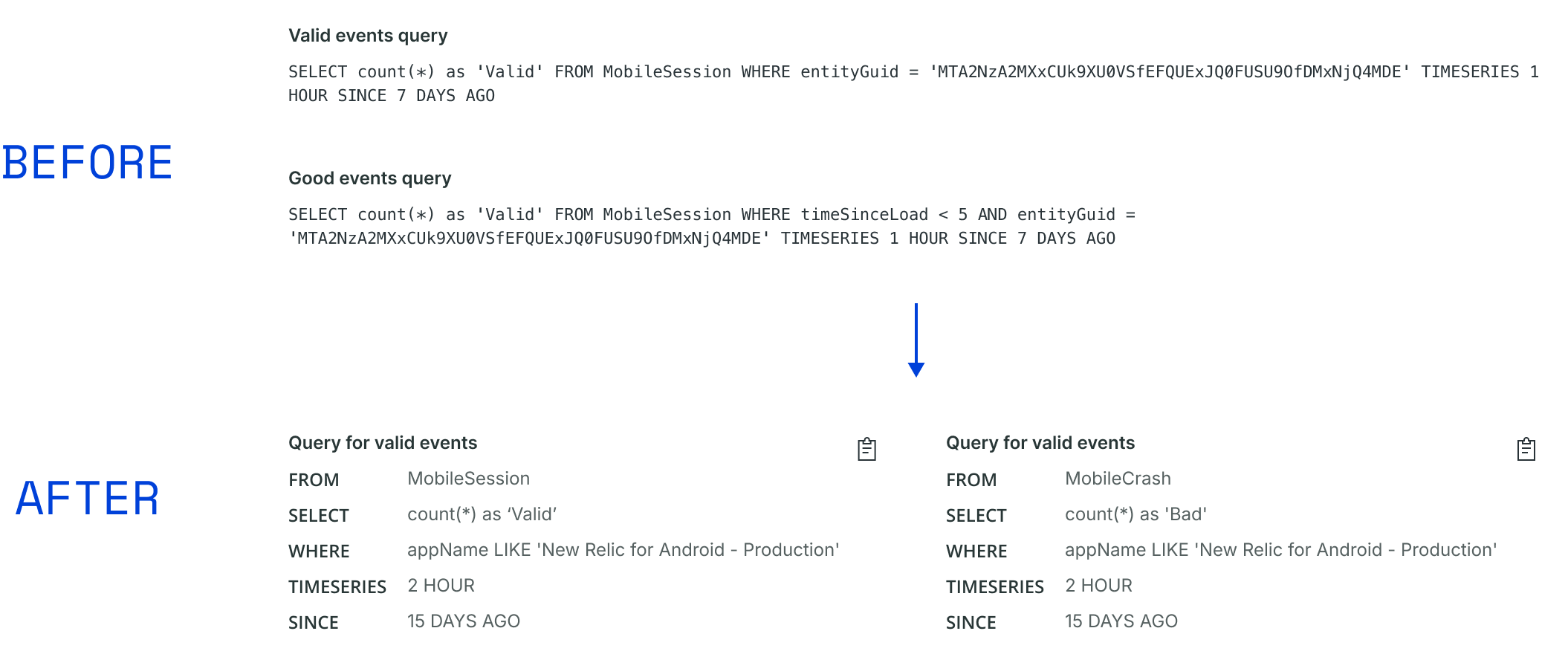
The impact: higher adoption and fewer broken SLIs.
Within 8 weeks, weekly active accounts rose 16% and weekly active users 11%. The builder contributed to1,500+ beta users and $1.52M MRR at GA, with a $2M CRR impact from filling the gap in the service-level creation flow.
Just as important, the guardrails cut the misconfigured SLIs that had been quietly masking unhealthy services.
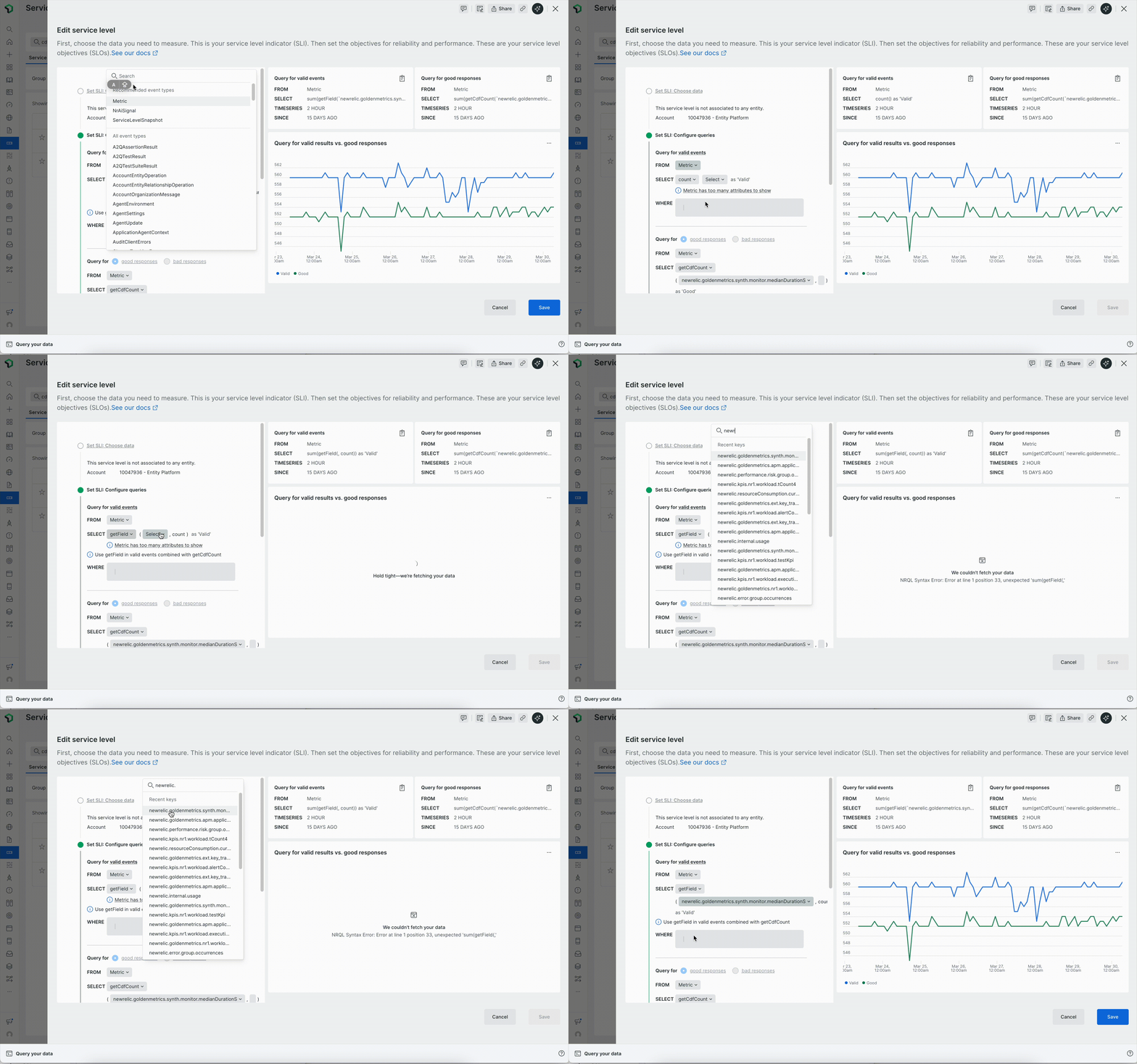
What this taught me about designing for technical users.
The biggest UX risk in a highly technical product is the silent failure. The fix is to shift the memory burden from the user to the system: by requesting data in incremental steps, we minimise the cognitive load of recalling critical information. Bridging the gap between specialists and laypeople demands a solution that is genuinely intuitive.